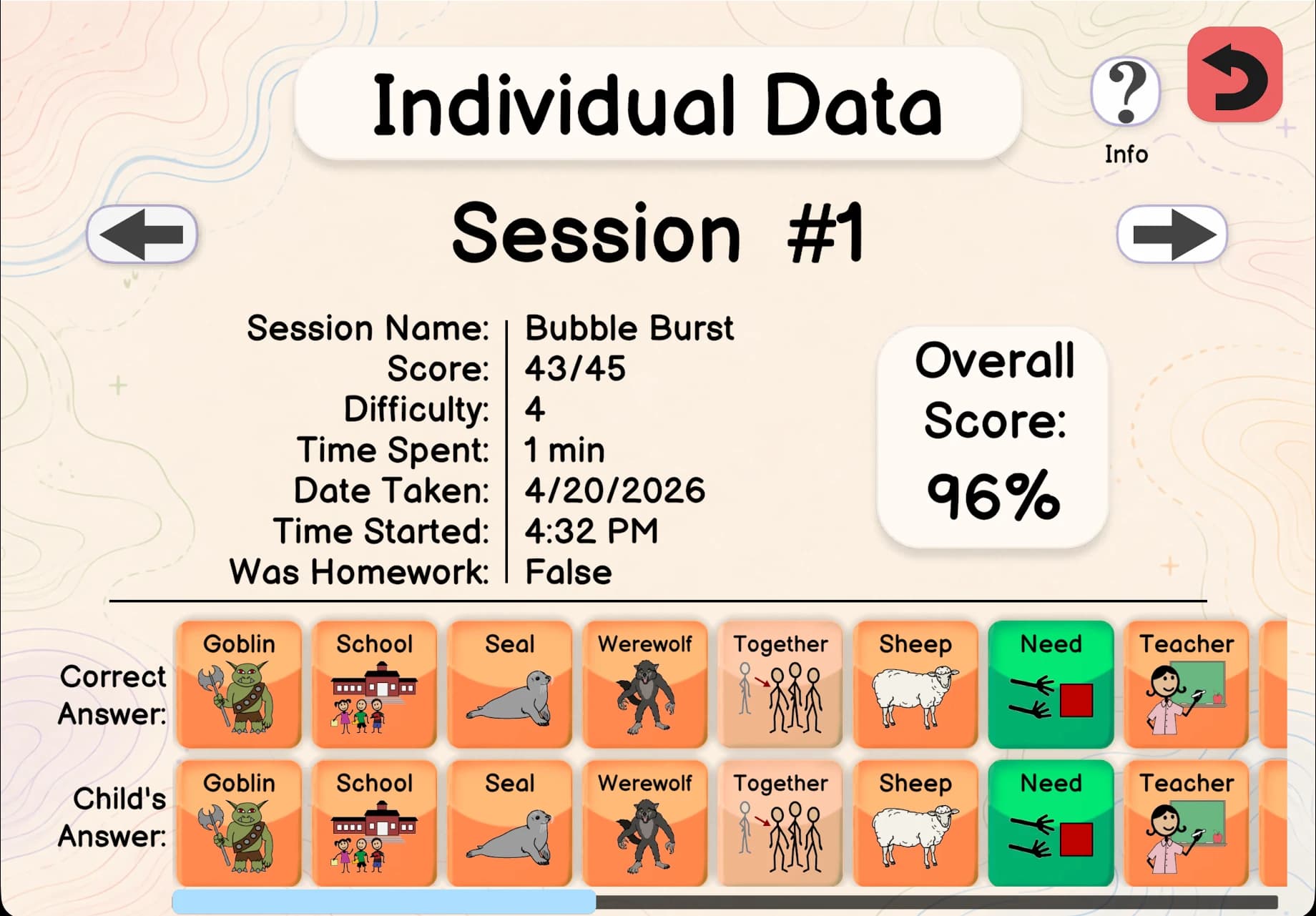
Built-in AnalyticsFeatured
100+ data points per session.
Word usage, milestones, session history, and period comparisons all inside the app. No spreadsheets, no extra subscriptions.
AAC Plus × AbleNet
Spkeasy is now available on the QuickTalker Freestyle.
Spkeasy AAC App
Spkeasy combines AAC communication tools, built-in progress insights, homework support, and interactive 3D worlds so therapy can feel practical, motivating, and fun.
Available for iOS, Android, and Fire tablets



App Store downloads
Data points per session
built into the app
Years clinical AAC
experience on our team
Free trial
no credit card
Plus adults with ALS,
stroke & TBI
AbleNet's QuickTalker
Freestyle speech device

New on QuickTalker Freestyle
We’ve partnered with AbleNet to bring Spkeasy to the QuickTalker Freestyle with an unlimited 5-year warranty, on-demand support, and guided medical insurance funding. Access in as fast as 2 days.
Why Spkeasy
Every competitor requires SLPs to use paper tallies, external spreadsheets, or separate paid tools. Spkeasy builds it all in.
| Feature | Spkeasy | Proloquo2Go | TouchChat | Snap Core First |
|---|---|---|---|---|
| Built-in analytics centerSession data, word usage & milestones inside the app | ✓ | × | $+ | × |
| In-app homework assignmentAssign a word or activity, track correct/incorrect/attempted | ✓ | × | × | × |
| Period comparisonDay vs prior day, week vs prior week, month vs prior month | ✓ | × | $+ | × |
| 3D immersive scenesHome and restaurant practice with contextual dynamic phrasing | ✓ | × | × | × |
| Role-based access controlSLP, teacher, and parent tools stay organized by role | ✓ | × | × | × |
| Interactive learning activitiesBuilt-in activities support practice and progress tracking | ✓ | × | × | × |
| Ages 3–17 vocabulary boardsPre-built Spkpads ready day one with no setup required | ✓ | × | × | × |
| Data stays on device100+ data points captured locally, nothing shared externally | ✓ | × | × | × |
* TouchChat partial analytics require Realize Language, a separate paid subscription with manual data uploads outside the app. Competitor data based on publicly available feature documentation as of June 2026.
What's inside Spkeasy
From first setup to real-world routines and progress tracking, every feature helps families, SLPs, and AAC users know what to do next.
Personalize
Avatars, display settings, and age-calibrated Spkpads make the app feel right from day one.
Practice
3D scenes, contextual phrasing, and interactive activities let users practice real communication.
Track
Built-in analytics, homework assignment, and role-based access keep the whole team informed.
Word usage, milestones, session history, and period comparisons all inside the app. No spreadsheets, no extra subscriptions.
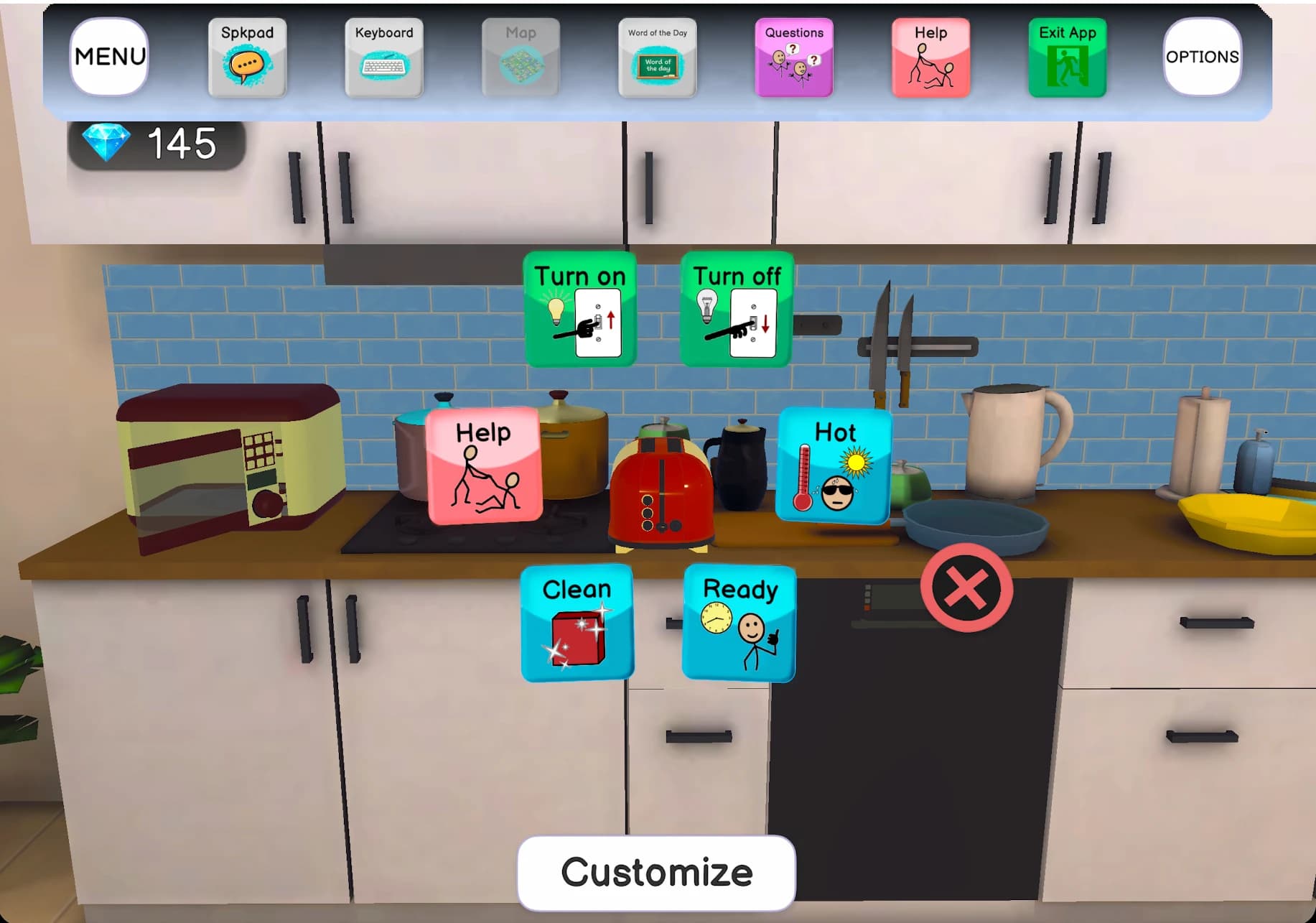
Interactive home and restaurant environments where one tap on an object builds a full contextual phrase.
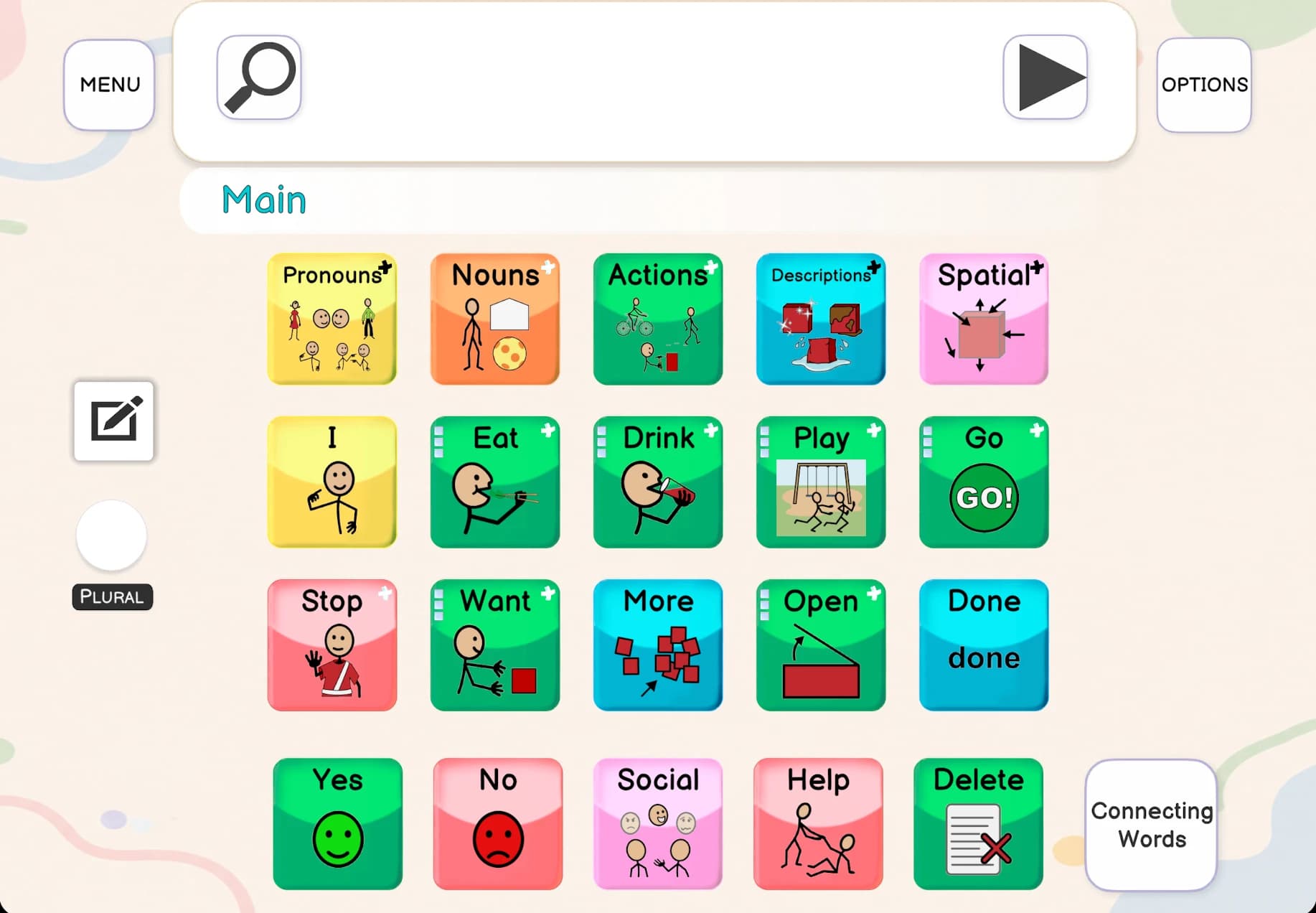
Color-coded boards for ages 3–17 organize pronouns, nouns, actions, and core words so users communicate without setup delays.
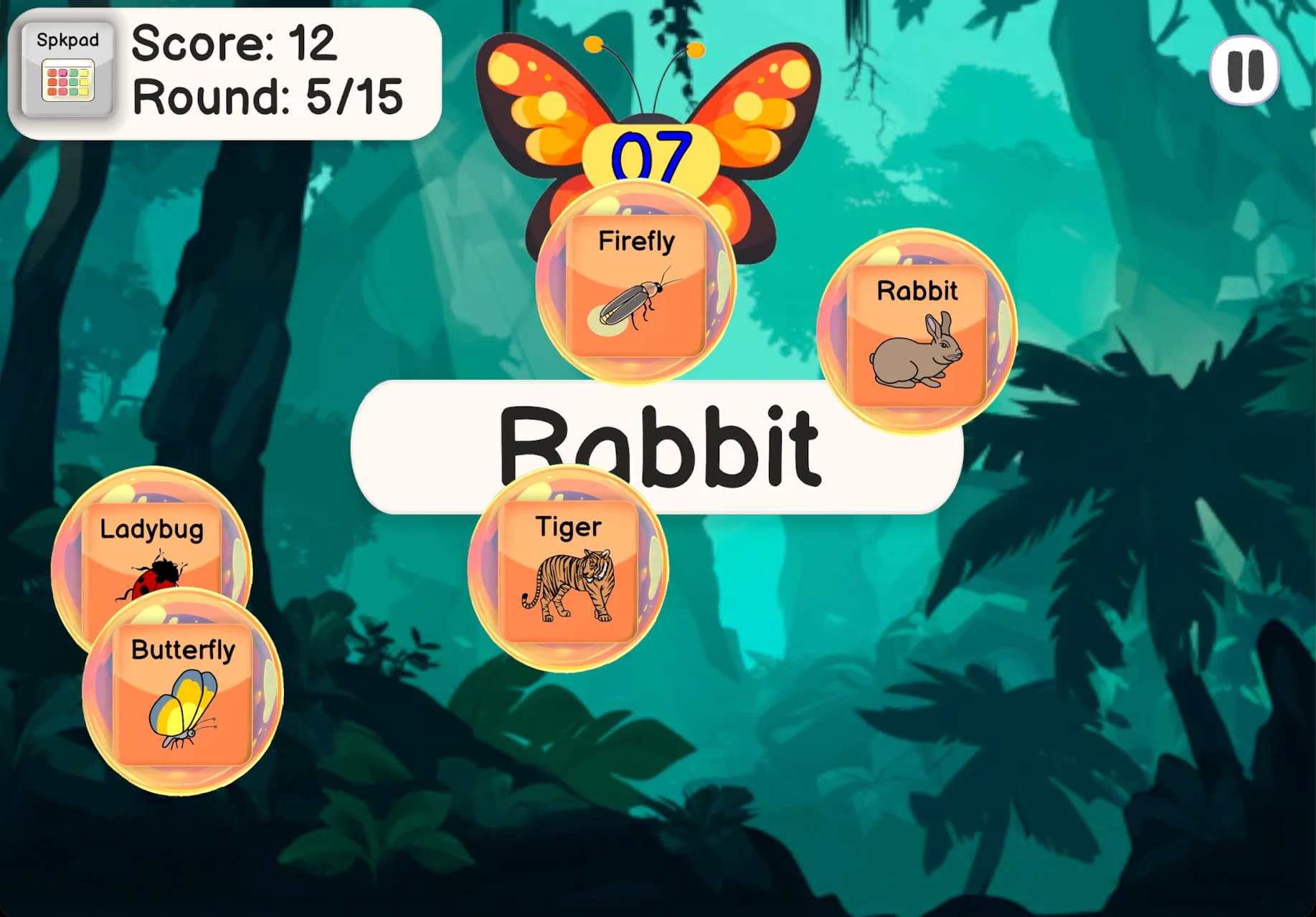
Spell & Tell, Word Toss, Object Matching and more built into the app with progress tracking so sessions stay motivating.
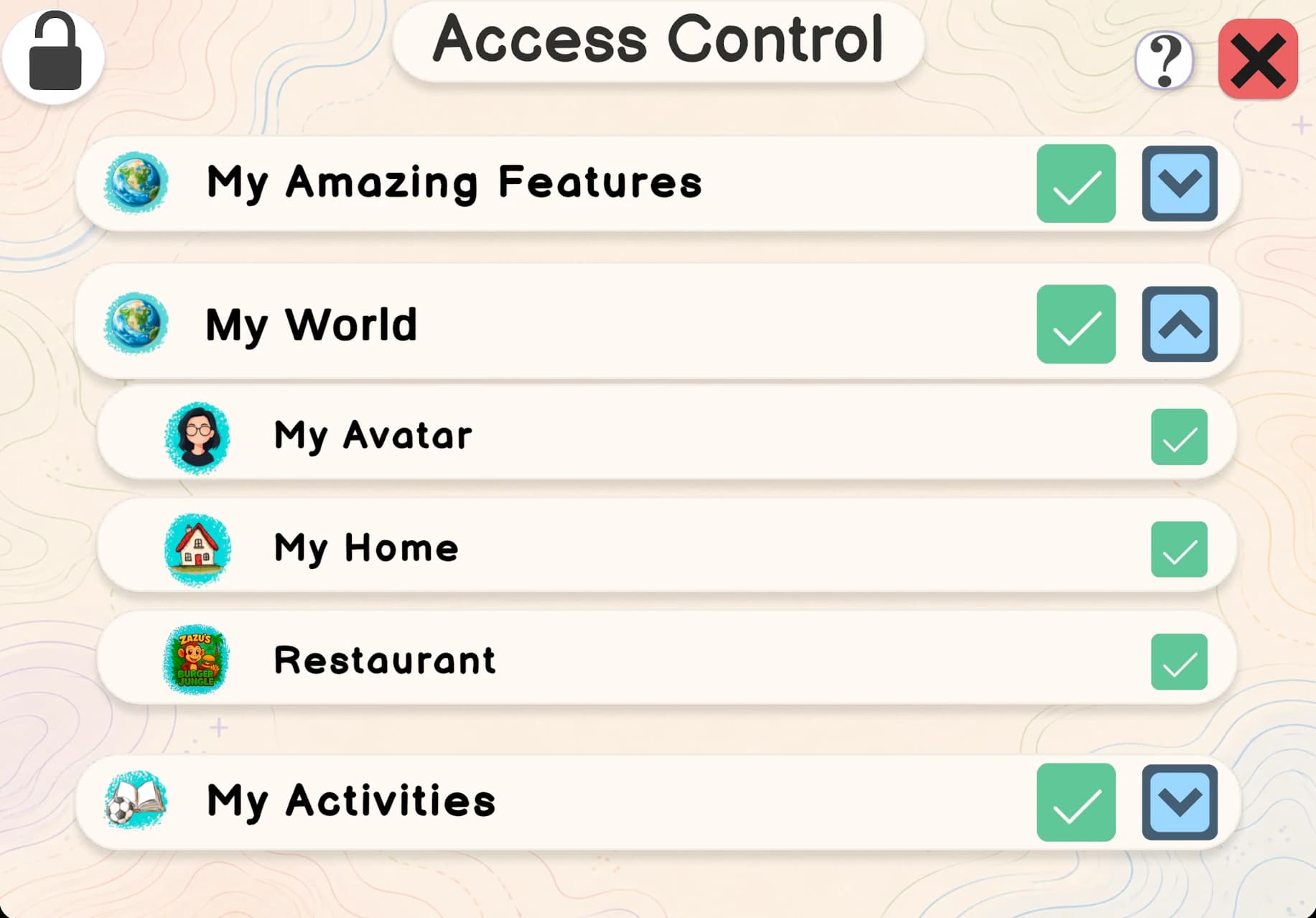
Granular role-based access for SLPs, teachers, and parents keeps clinical settings safe while letting families stay involved.
Join the Spkeasy 5,000 Voices Initiative. Help us provide essential communication tools for non-verbal children who need them most.
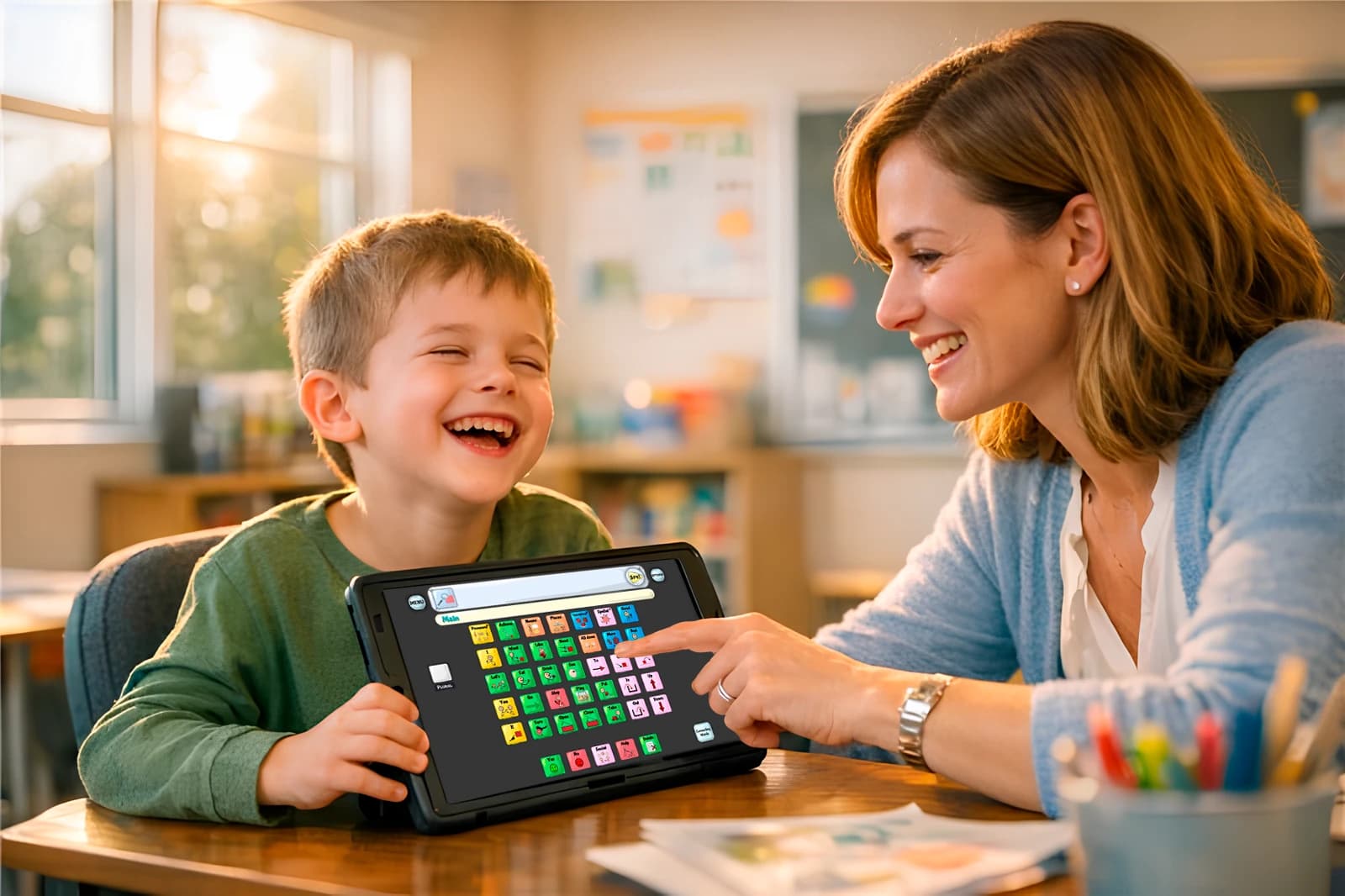
Hear directly from families and speech-language pathologists using Spkeasy to make communication more accessible in everyday moments.
C-SLPA
"I love using the Spkeasy app with my students. I love the interface. It's really child friendly, it's colorful, it's engaging..."
I love using the Spkeasy app with my students...I love the interface. It's really child friendly, it's colorful, it's engaging, and it creates a lot of opportunities for language that can be applied to real life. Especially in the My Home feature, that's, well, the one thing that my students really love to play. They love being able to walk around the house and interact with different objects. Because it, they, they are practical and it's real life application, they take what they use in that game and immediately use it right out in the environment, and will point things out to me.Like soap and sink, and wash my hands, or I want to use the bathroom, or just finding random things in my environment that they see in the game. And I think it's an amazing opportunity to be able to make conversation about different things that we see in different places. And while I do particularly work with younger students, I think that the benefits can go all the way through the lifespan. Because when we think about having adult clients that may have had a traumatic brain injury, or a stroke, or anything like that, and they have aphasia, being able to reorient themselves in the home environment is so important to reestablish a sense of normalcy and encourage independence once again. So, I recommend the Spkeasy app to everyone that I know, and I encourage you to check it out too.
CCC-SLP
"It is so user friendly. You are able to modify it easily, and it just really helps with all of my clients that need things to be specific to their needs."
Hi. My name is Miss Allie, and I am a speech language pathologist. I would love to talk to you about the Spkeasy app. I have been using it with my clients for a while now, and I'm very proud to be a part of the Spkeasy community, because this app is great. It is so user friendly. You are able to modify it easily, and it just really helps with all of my clients that need things to be specific to their needs. And there's a great portion in the app as we- well where you are able to kind of navigate a home. So, you can go into your living room, or you can go into your kitchen and there are different responses in there. And I have found that to be such a great way to carry it over with some of my clients that just need that help with being able to functionally carry over what the device means and how they can use it in their real world. And I am so grateful for it. I love it so much. I recommend it to any parent or client that is looking for a new device where they don't have a lot of training with AAC, or they just kind of feel lost. I absolutely recommend trying this app out. And for all of my other fellow speech therapists, I also recommend giving it a try, because there's also a portion where you can edit and modify things on your end as well to help, so that the client, if need be, doesn't have access to it just to make it, of course, easier for everyone.
CCC-SLP
"This app has the activities and exercises really built into the app itself. So you could use the grid that they have for language."
Hi. My name is Sarah Bott, and I am a speech language pathologist. I have been using the Spkeasy app, and I don't know if you guys have seen this, but it is really worth looking into. What I really like about it is typically, I have to scramble for different activities, try to find something relevant to my client's device. But this app has the activities and exercises really built into the app itself. So you could use the grid that they have for language. You can use the icons they use for everyday language, and it's actually incorporated into the app using different engaging activities, using different functional tasks that it walks you through. And so it's not just engaging and interesting for clients, but it's also fun.
SLP
"The AAC Plus app has enhanced my sessions greatly. My students have become very motivated to learn and very engaged..."
My name is Andrea Vasallo, and I am a pediatric speech-language pathologist. Some of my favorite features on the Spkeasy app, object matching. In this game, students are able to see an object on top and then they will be able to practice selecting different symbols regarding the object that they see. This is a fun way for them to start learning what the symbols look like before actually using the grid selections. Another feature my students absolutely love is this house feature. They're able to interact with different items around the house. For example, the refrigerator, they can open and close the refrigerator. They can get some water or they can even ask for help. So this is a very fun way to get them to play with the different things around the house while also working on their AAC symbols. The grid area on the AAC Plus app has also been very helpful for all of my little students. They've been able to request different items and also comment on things that we've been doing. For example, eat, and it takes them to a lot of different other categories where they can select types of food, different things that they like and don't like to eat. There's categories like Italian and Mexican, so there's a very large variety of selections for them to pick from. The AAC Plus app has enhanced my sessions greatly. My students have become very motivated to learn and very engaged with all of the different games that are provided in the application. I would definitely recommend the AAC Plus app to other speech-language pathologists and teachers out there that have students that do need additional support with either verbal expression or just expressive communication. It is a great way to have them show you what they need or begin to combine words and say short phrases. It's a great way to have them be provided with a model but also interact with the application in a variety of different ways. So it's very, very recommended and 10 out of 10.
@odd__creature
This is the best AAC app I've ever seen

@mpgp1997
This is amazing!!
@forshizlee
I LOVE THIS
@avocadale
I Need this
@carla.ot.host
OT here, yessss 👏
@abbyballard10
Um WHAT?! Where the hell has this been?!
Help someone you love build communication confidence
1 Month Gift Access
No recurring billing
A single one-time gift purchase for 1 month of access.
1 Year Gift Access
Best value one-time gift
A single one-time gift purchase for 1 full year of access.
Lifetime Gift Access
Pay once, use forever
A single one-time gift purchase for lifetime access.
Secure checkout powered by Stripe. The gift link will be emailed directly to the recipient.