A practical AAC app for daily communication.

Spkeasy is an augmentative and alternative communication app designed to help people who cannot rely on speech communicate with symbols, phrases, interactive practice, and real-world routines.

The app is built for the whole support team: AAC users get an accessible voice, while parents, SLPs, teachers, and caregivers get tools to personalize the experience, assign practice, and understand progress.

Read transcript and visual description
No speech. A screen recording demonstrates the Spkeasy Analytics Center and communication progress data.
View details

Built-in Analytics Center

Analytics inside the app. No extra cost.

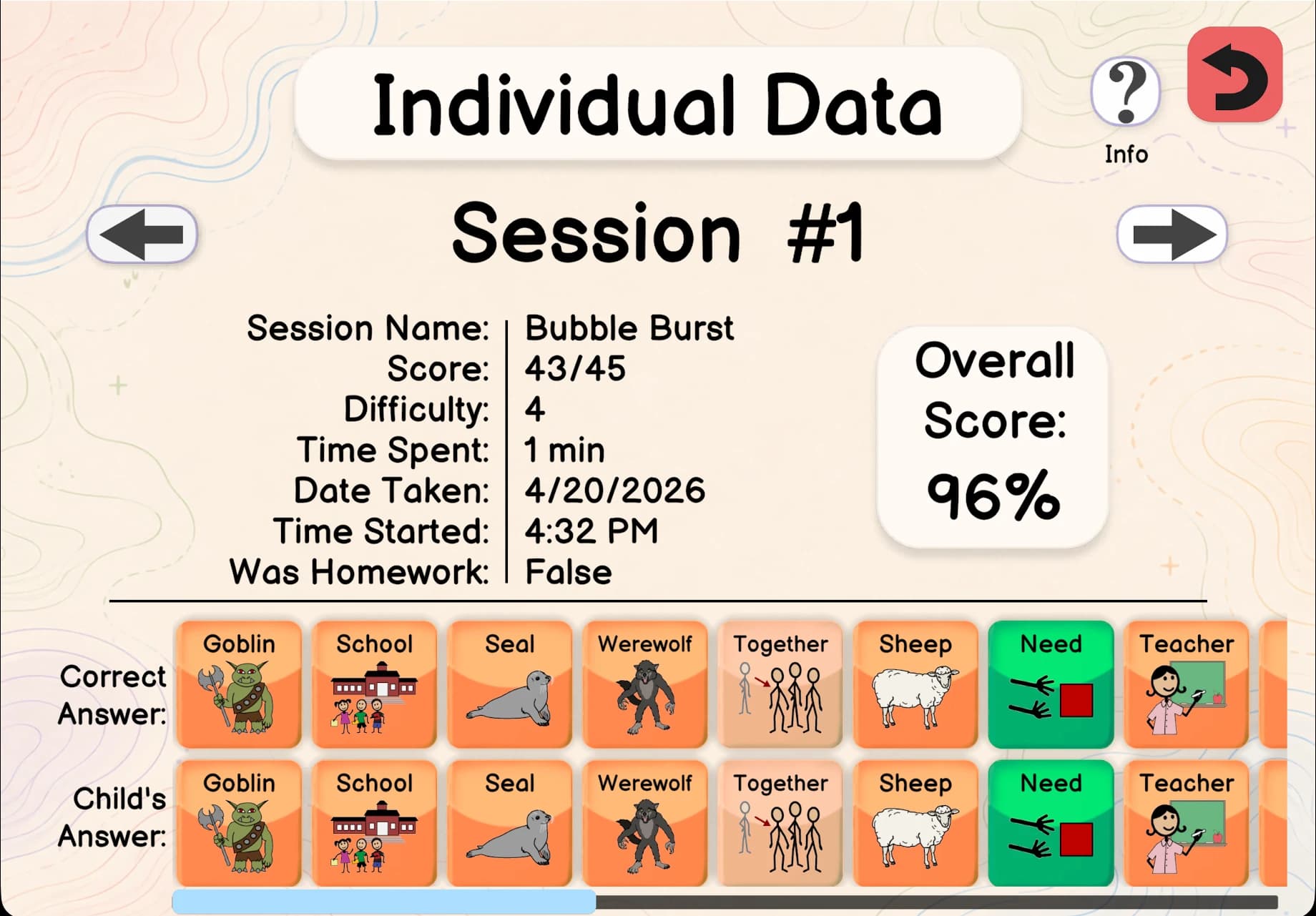
Spkeasy’s Analytics Center captures progress automatically during sessions. No manual uploads, no paper tally marks, no external spreadsheet, and no second web tool required.

Data captured automatically: words used, new vocabulary, session length, symbols per minute, communication function, milestone dates, activity attempts, correct / incorrect / tried counts, usage by environment, usage by caregiver, and more.
Spkeasy Individual Data screen showing a Bubble Burst session score and answer details
Spkeasy Edit Assignment screen for a Bubble Burst activity with difficulty, question, success-rate, and due-date settings

Assign homework and see the progress.

Spkeasy lets an SLP assign a specific vocabulary word or activity between sessions, then see exactly how the user practiced it. That means families get a clear plan and clinicians get follow-through data tied to real app use.

✓Assign a word goal and track every time it is used in any scene or activity.
✓Assign activities like Spell & Tell, Word Toss, or Object Matching and review results.
✓Compare current practice with prior days, weeks, months, or years.

Communication with context, not in a vacuum.

Every Spkeasy scene mirrors a real environment, helping vocabulary transfer from app practice to everyday routines.

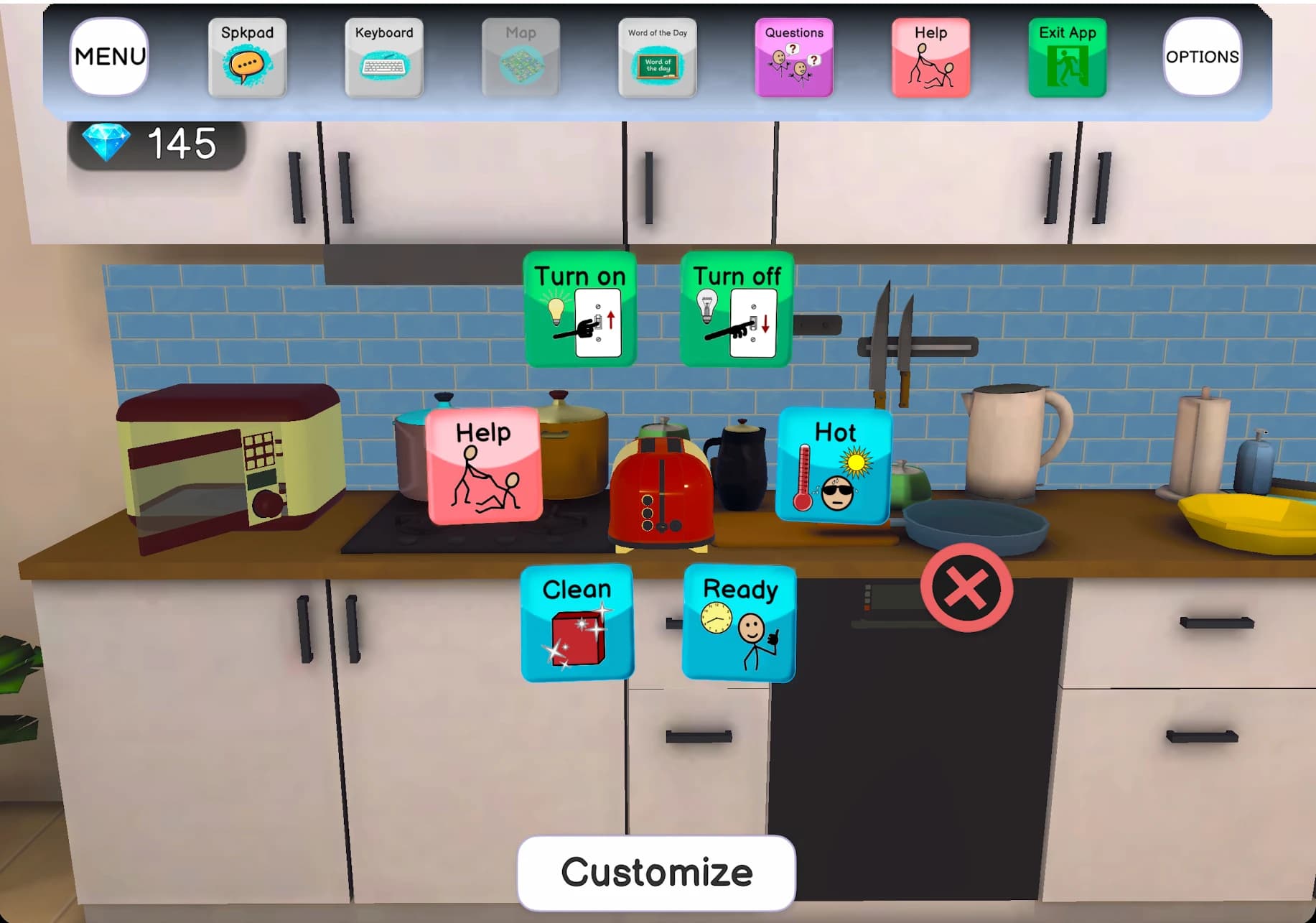
Spkeasy My Home scene showing an interactive kitchen with AAC vocabulary symbols
3D daily routines

My Home

Children explore a fully interactive home environment: open the fridge, touch the TV remote, move through rooms, and practice the language tied to real objects.

Touch an apple and the app can surface phrases like “I don’t want apple” or “I like apple.” Touch the TV remote and get “Turn on the TV” as a single contextual phrase.

▶ I don’t want apple▶ I like apple▶ Turn on the TV▶ I want to watch TV▶ I need help
Spkeasy restaurant scene showing tables, a counter, staff, customers, and app navigation
Public communication practice

Restaurant

A restaurant ordering flow lets the user browse a menu, build an order, add or remove items, confirm choices, and receive their tray.

Ordering food is a common high-stakes communication moment. Spkeasy makes that situation repeatable before it happens in the community.

▶ I want a burger▶ No pickles please▶ Add fries to my order▶ I’m ready to order▶ Thank you

Full control for every adult on the team.

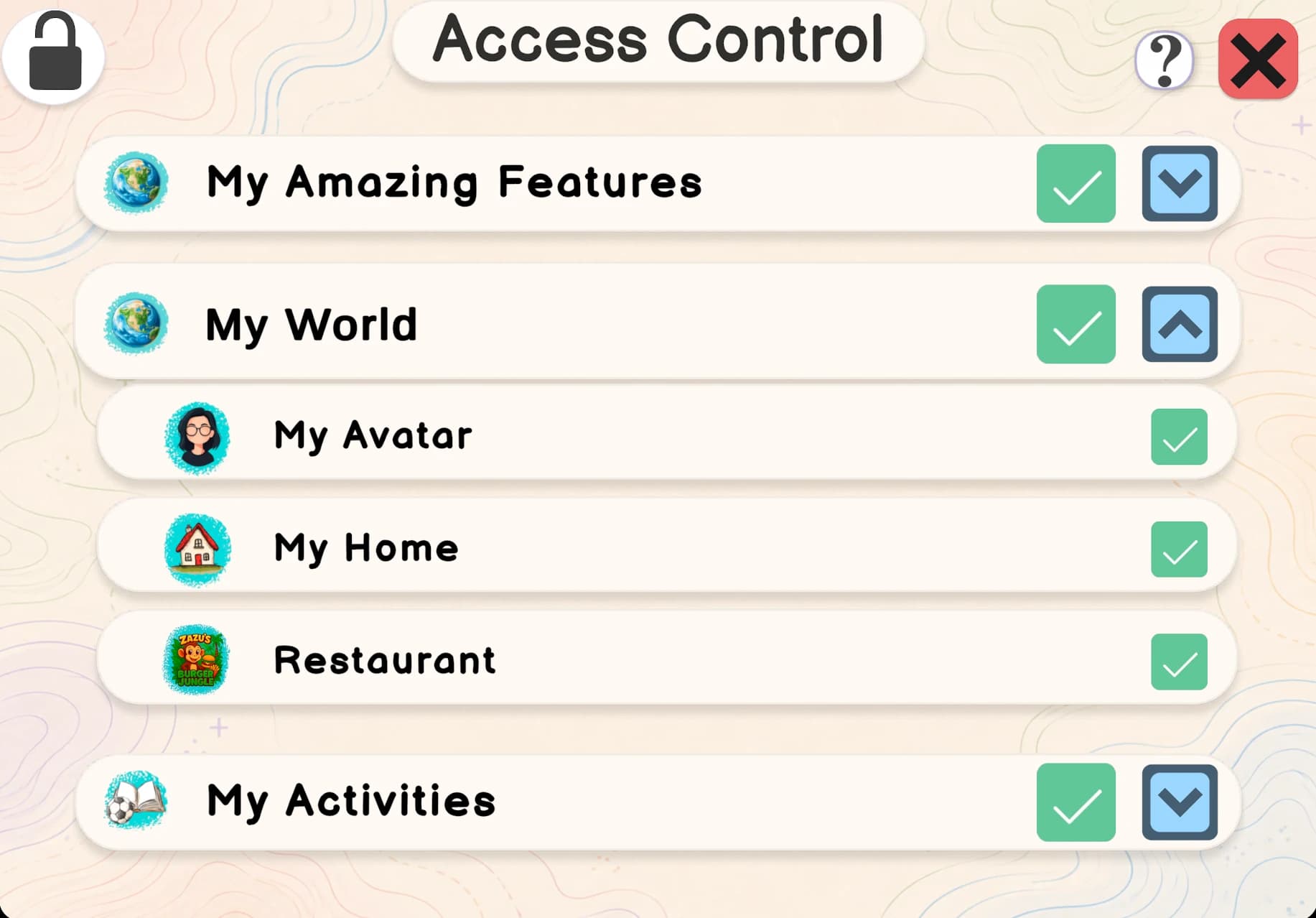
The Command Center can be protected so only authorized adults can access it. Parents, SLPs, teachers, and caregivers each control what matters for their role without changing the rest of the setup.

SLP

Speech-Language Pathologist

Full access to assignments, analytics, vocabulary settings, activities, and clinical configuration.

TCH

Teacher

Classroom-relevant access to activities and progress without changing therapy-critical settings.

PAR

Parent / Caregiver

Customize home content, add familiar snacks, view daily progress, and support practice at home.

Spkeasy Access Control screen showing enabled app sections including My Home, Restaurant, and My Activities

Interactive activities

Learning that feels like playing.

Activities reinforce vocabulary from the user’s own Spkpad, so practice stays connected to functional communication.

Read transcript and visual description
No speech. A picture appears and the word is pronounced aloud. The user selects the correct letters in sequence, filling blank tiles as they go.
01 · Spell & Tell

Spell & Tell

Spelling · Phonological awareness

Ready on day one for ages 3–17.

Pre-built vocabulary boards cover early communicators through teens, with custom options for individualized needs.

Spkeasy currently focuses on children and teens ages 3–17. An adult communication experience for people with acquired conditions is in development.

Ages 3–4

First Words

High-frequency core words for early communicators with larger symbols and low grid density.

Ages 5–6

Early Phrases

Two-to-three word combinations for requesting, commenting, and basic social phrases.

Ages 7–9

Building Sentences

Expanded core vocabulary, grammar support, and subject-verb-object scaffolding.

Ages 10–12

Social Communication

School vocabulary, peer interaction, and topic-based communication boards.

Ages 13–17

Teen & Independence

Age-appropriate vocabulary for school, social contexts, and growing independence.

Ages 3–17

Custom Spkpad

Build a vocabulary board with configurable fonts, colors, symbols, and grid layout.

One app. Nothing important missing.

A complete feature inventory for the Spkeasy app, with no purchase prompts or CTA blocks on this page.

📊

Built-in Analytics Center

100+ data points per session, period comparisons, milestones, session history, and progress visibility inside the app.

✓

Homework assignment system

Assign a word or activity and track correct, incorrect, attempted, and usage counts.

⌂

3D immersive scenes

Home and restaurant environments with interactive objects and contextual phrasing.

💬

Dynamic contextual phrasing

Phrases build from context so one tap can generate a full sentence.

🛡️

Command Center access control

Granular access settings per adult role: parent, teacher, SLP, and caregiver.

▦

Age-calibrated Spkpads

Pre-built vocabulary boards for ages 3–17, ready to use on day one.

★

Interactive learning activities

Spell & Tell, Word Toss, Object Matching, and more activities built into the app.

☺

Personalized avatars

Custom avatars help users feel represented inside the app experience.

🍎

Fridge customization

Parents can add or remove snack items so the home scene reflects what is actually in the house.

Aa

Display settings

Adjust fonts, colors, sound, and visual density to fit sensory and motor profiles.

▣

Cross-device projection

Project Spkeasy from a tablet to a monitor or laptop for classroom and group therapy use.

Access Spkeasy for Free!

Download on the Apple App StoreGet it on Google Play